Input Data
RECOVAR accepts particle data directly from RELION (.star files) or cryoSPARC (.cs files). No external preprocessing tools are required — poses, CTF parameters, and downsampling are handled automatically.
Supported formats
| Format | Extension | Source |
|---|---|---|
| RELION STAR | .star |
RELION 3.0+ consensus refinement |
| cryoSPARC | .cs |
cryoSPARC homogeneous/heterogeneous refinement |
| Pre-downsampled | .mrcs |
Any source (requires --poses and --ctf pkl files) |
What you need
From RELION
- The
particles.starfile from a consensus refinement (contains image paths, poses, and CTF) - A solvent mask (
.mrc)
From cryoSPARC
- The
*_particles.csfile from a refinement job (contains image paths, poses, and CTF) - A solvent mask (
.mrc)
Note
For cryoSPARC files, use --datadir to point to the cryoSPARC project directory, since .cs files store relative paths. Use the main *_particles.cs file from the refinement job (not the passthrough file, which may lack pose information).
Legacy: pickle files
For backward compatibility, you can provide poses and CTF as pickle files (.pkl), e.g. from cryoDRGN preprocessing:
When --poses and --ctf are provided as .pkl files, they take precedence over auto-extraction.
Fixing broken file paths
When datasets are moved or transferred between servers, the image paths stored inside .star and .cs files often break. Two flags handle this:
--datadir DIR
Set the base directory for resolving image paths. By default, paths are resolved relative to the directory containing the .star/.cs file.
--strip-prefix PREFIX
Strip a prefix from paths before resolving. Works with both .star and .cs files.
Example
Your .star file has paths like Extract/job193/Micrographs/image.mrcs but your data is at /scratch/data/Micrographs/image.mrcs:
recovar pipeline particles.star -o output --mask mask.mrc \
    --strip-prefix Extract/job193 --datadir /scratch/data
Tip
If paths break, RECOVAR shows the first missing file and suggests the correct --datadir / --strip-prefix to use.
Automatic path resolution
RECOVAR automatically tries common fixes when image paths don't resolve:
- Extension fallback: If
file.mrcdoesn't exist, triesfile.mrcs(and vice versa) - Flat directory fallback: If
datadir/J3/imported/file.mrcsdoesn't exist, triesdatadir/file.mrcs
When a fallback is used, an INFO-level log message explains what happened.
Diagnosing path issues
Use recovar check_paths to preview how paths will resolve without running the full pipeline:
# Check a cryoSPARC file
recovar check_paths particles.cs --datadir /path/to/project

# Check a STAR file with prefix stripping
recovar check_paths particles.star --strip-prefix Extract/job193 --datadir /data
This shows which paths resolve, which use automatic fallbacks, and which are missing, along with concrete suggestions for how to fix them.
GUI file browser
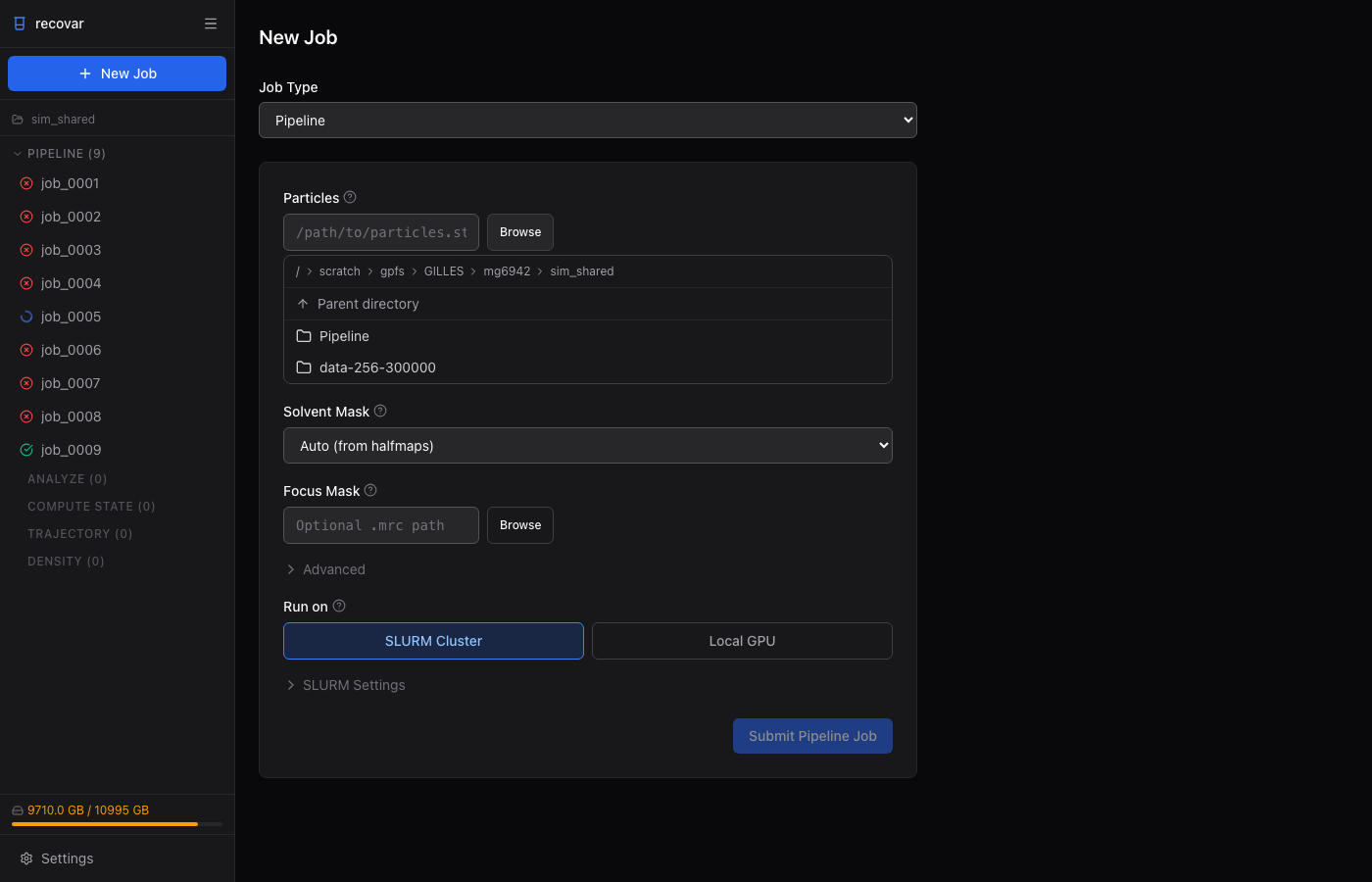
The web GUI includes a file browser for selecting particle files, masks, and index files without typing paths. When you select a .star or .cs file, the GUI validates it immediately — showing particle count, pixel size, and available columns.
Auto-extraction details
When no --poses or --ctf pkl files are provided, RECOVAR automatically extracts:
From STAR files:
- Rotation matrices from
_rlnAngleRot,_rlnAngleTilt,_rlnAnglePsi(ZYZ Euler angles) - Translations from
_rlnOriginXAngst,_rlnOriginYAngst(converted to fractional units) - CTF from
_rlnDefocusU,_rlnDefocusV,_rlnDefocusAngle,_rlnVoltage,_rlnSphericalAberration,_rlnAmplitudeContrast,_rlnPhaseShift - Pixel size from
_rlnImagePixelSizein the optics table
From CS files:
- Rotation matrices from
alignments3D/pose(Rodrigues rotation vectors) - Translations from
alignments3D/shift(converted to fractional units) - CTF from
ctf/df1_A,ctf/df2_A,ctf/df_angle_rad,ctf/accel_kv,ctf/cs_mm,ctf/amp_contrast,ctf/phase_shift_rad - Pixel size from
blob/psize_A